Two ways to configure Thank You pages
You can set up Thank You pages in two ways, which can be used together:
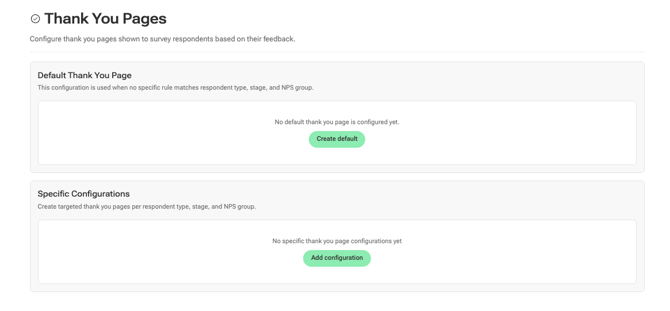
- Default Thank You page - shown to all respondents when no specific rule applies. Good to have as a fallback even if you set up specific configurations.
- Specific configurations - targeted pages based on who the respondent is, where they are in the process, and how they scored. This is where the real value is.
Setting up a Default Thank You page
-
Go to Settings > Survey Configuration > Thank You Pages
-
Click Create default in the Default Thank You page section.
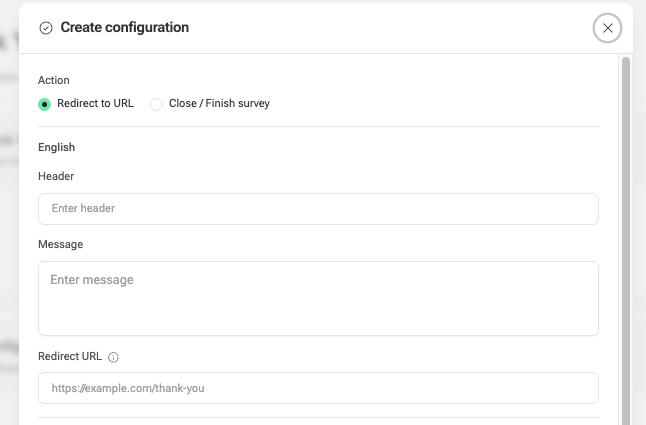
You'll choose what happens when a respondent finishes the survey:
- Redirect to URL - send them to a page of your choice
- Close / Finish survey - simply close the survey with a "thank you" message

-
In both cases, you can choose header text and a message body.
You can translate this test into multiple languages depending on in how many languages you're sending the survey.
- If you choose Redirect to URL, you will then have to add the URL.
Setting up Specific configurations
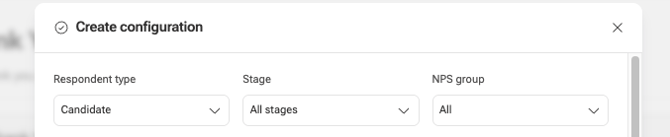
Click Add configuration to create a targeted Thank You page. Each configuration is defined by three filters:
- Respondent type - Candidate or internal (e.g. Hiring Manager)
- Stage - All stages, or a specific one like Rejected, Hired, Withdrawn, etc.
- NPS group - All, or a specific group: Promoters (9-10), Passives (7-8), or Detractors (0-6)
Then choose the action - redirect to a URL or close the survey.
Our recommendation: redirect Promoters to review sites
Candidates who score you as a Promoter (NPS 9-10) have had a genuinely positive experience - and they're the most likely to follow through if you ask them to share it publicly.
Set up a specific configuration for:
- NPS group: Promoters
- Action: Redirect to URL
Then point them to a review platform like Glassdoor. This is one of the easiest ways to grow your employer brand without any extra effort.
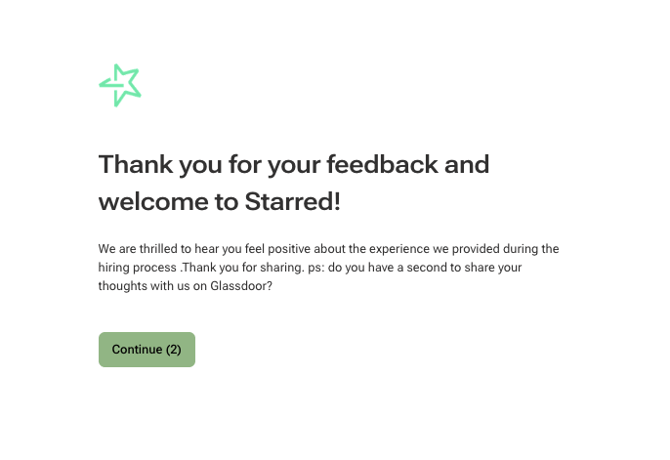
If you add a redirect link, the respondent can either click on it immediately or wait for the countdown to end to be redirected.